Unreal Engine Behavior Trees vs AI Blueprints
We compare Behavior Trees and AI Blueprints in Unreal Engine. Learn which method is best for creating complex NPC interactions.
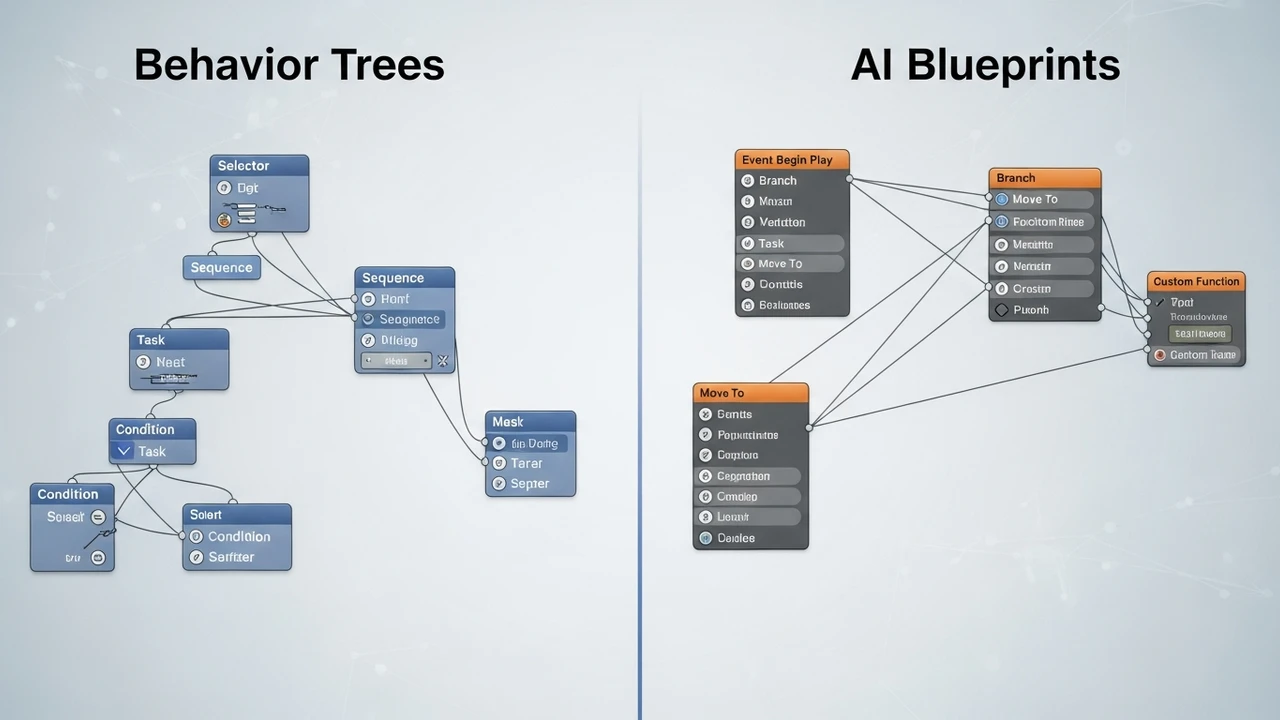
We compare Behavior Trees and AI Blueprints in Unreal Engine. Learn which method is best for creating complex NPC interactions.
Unreal Engine Behavior Trees vs AI Blueprints
If you have been diving into Unreal Engine for game development, you have probably hit that classic crossroads: should you use Behavior Trees or stick to AI Blueprints? It is a question that keeps many indie developers up at night. Both systems are powerful, but they serve different masters. Let’s break this down in a way that actually makes sense for your workflow.
Understanding the Core of Unreal Engine Behavior Trees
Behavior Trees are the industry standard for a reason. They are essentially a visual way to organize decision-making logic. Think of them as a flowchart that dictates how an NPC should act based on its environment. You have your root node, which branches out into selectors and sequences. It is incredibly clean and modular. If you want your NPC to patrol, spot a player, and then attack, a Behavior Tree handles that state transition beautifully. The biggest advantage here is the Blackboard system. The Blackboard acts as a shared memory for your AI, storing variables like 'TargetActor' or 'IsAlerted'. This keeps your logic decoupled from the actual character blueprint, which is a lifesaver when you are scaling up to dozens of NPCs.
When to Choose AI Blueprints for NPC Logic
Now, AI Blueprints are a different beast. They are essentially the standard Unreal Blueprint system applied to AI controllers. If you are building a simple enemy that just needs to walk toward the player and hit them, a Behavior Tree might be overkill. You can write that logic in a few nodes inside an AI Controller Blueprint. It is fast, it is intuitive, and for small projects, it is often the path of least resistance. However, the moment your AI needs to handle complex state changes—like switching between searching, hiding, and combat—Blueprints can quickly turn into a 'spaghetti code' nightmare. You lose that clean, hierarchical structure that Behavior Trees provide.
Comparing Performance and Scalability in Game AI
When we talk about performance, Behavior Trees generally win for complex systems. Because they are optimized for tick-based evaluation, they don't run every single node every frame. They only evaluate what is necessary. Blueprints, if not managed carefully, can become heavy on the CPU if you are running complex logic on every tick. For a game with 50 NPCs, you will definitely feel the difference. If you are building a massive open-world game, stick to Behavior Trees. If you are making a small puzzle game or a prototype, Blueprints are perfectly fine.
Top Tools and Plugins for Advanced AI Development
If you want to take your AI to the next level, there are some fantastic tools out there. First, check out Behavior Designer. It is a third-party plugin that makes the standard Unreal Behavior Tree system look like a toy. It is much more user-friendly and comes with a ton of pre-built tasks. It usually costs around $80 on the Unreal Marketplace, and honestly, it pays for itself in saved time. Another great one is EQS (Environment Query System), which is built into Unreal but often overlooked. It allows your AI to 'see' the world, finding the best cover spots or flanking positions. It is a bit of a learning curve, but it is essential for modern shooters.
Practical Use Cases for Your Next Project
Let’s look at a real-world scenario. Imagine you are making a stealth game. You need guards that patrol, hear noises, and investigate. Use a Behavior Tree for the guard's 'brain.' Use the Blackboard to store the 'LastKnownLocation' of the player. Now, what if you have a unique boss character with a very specific, non-repeating attack pattern? That is where you might mix in some custom AI Blueprints. You can trigger a specific Blueprint function from your Behavior Tree to handle that unique boss animation and attack logic. It is all about finding that balance between structure and flexibility.
Final Thoughts on Choosing Your AI Path
At the end of the day, there is no 'right' answer, only what works for your specific game. If you are a solo dev, start with Blueprints to get the feel of it. Once you find yourself copying and pasting logic, it is time to move to Behavior Trees. Don't be afraid to experiment. The best AI is the one that feels alive to the player, and whether you get there through a complex tree or a clever blueprint, the player won't know the difference. Just keep your logic organized, keep your Blackboard clean, and your NPCs will be smarter than 90% of the competition out there.
:max_bytes(150000):strip_icc()/277019-baked-pork-chops-with-cream-of-mushroom-soup-DDMFS-beauty-4x3-BG-7505-5762b731cf30447d9cbbbbbf387beafa.jpg)