Godot vs Unity for Lightweight AI Projects
We compare Godot and Unity to see which is better for lightweight AI-driven games. Learn about performance, scripting, and AI plugin availability.
We compare Godot and Unity to see which is better for lightweight AI-driven games. Learn about performance, scripting, and AI plugin availability.
Godot vs Unity for Lightweight AI Projects
So, you are diving into the world of AI-driven game development, but you are not trying to build the next AAA blockbuster that requires a supercomputer to run. You want something snappy, efficient, and smart. You are looking at the two heavy hitters in the indie space: Godot and Unity. Both have their fans, and both handle AI in very different ways. Let’s break down which one actually makes sense for your lightweight AI project.
Understanding the AI Architecture in Godot and Unity
When we talk about lightweight AI, we are usually talking about finite state machines, simple pathfinding, or maybe some basic behavior trees that don't eat up all your CPU cycles. Unity has been the industry standard for years. It comes with a massive ecosystem, including the ML-Agents toolkit, which is incredibly powerful but can feel like overkill for a simple 2D platformer or a small mobile puzzle game. On the other hand, Godot is the lightweight champion. Its node-based architecture is incredibly intuitive for AI. You can attach a script to an NPC node, and it just works. It is lean, it is fast, and it doesn't force you to load a thousand libraries you don't need.
Performance Benchmarks for AI Logic and Scripting
Let’s get into the nitty-gritty of performance. Unity uses C#, which is compiled and generally very fast. If you are doing heavy math for your AI—like complex flocking algorithms or thousands of agents—Unity’s Job System and Burst Compiler are absolute game-changers. You can push a lot of data through the CPU. However, for a lightweight project, this might be like using a sledgehammer to crack a nut. Godot uses GDScript, which is Python-like and very easy to write. While it is slower than C#, for 90% of indie AI tasks, you won't even notice the difference. Plus, Godot 4.x has made massive strides in performance, making it more than capable of handling hundreds of smart NPCs without breaking a sweat.
Top AI Plugins and Tools for Lightweight Development
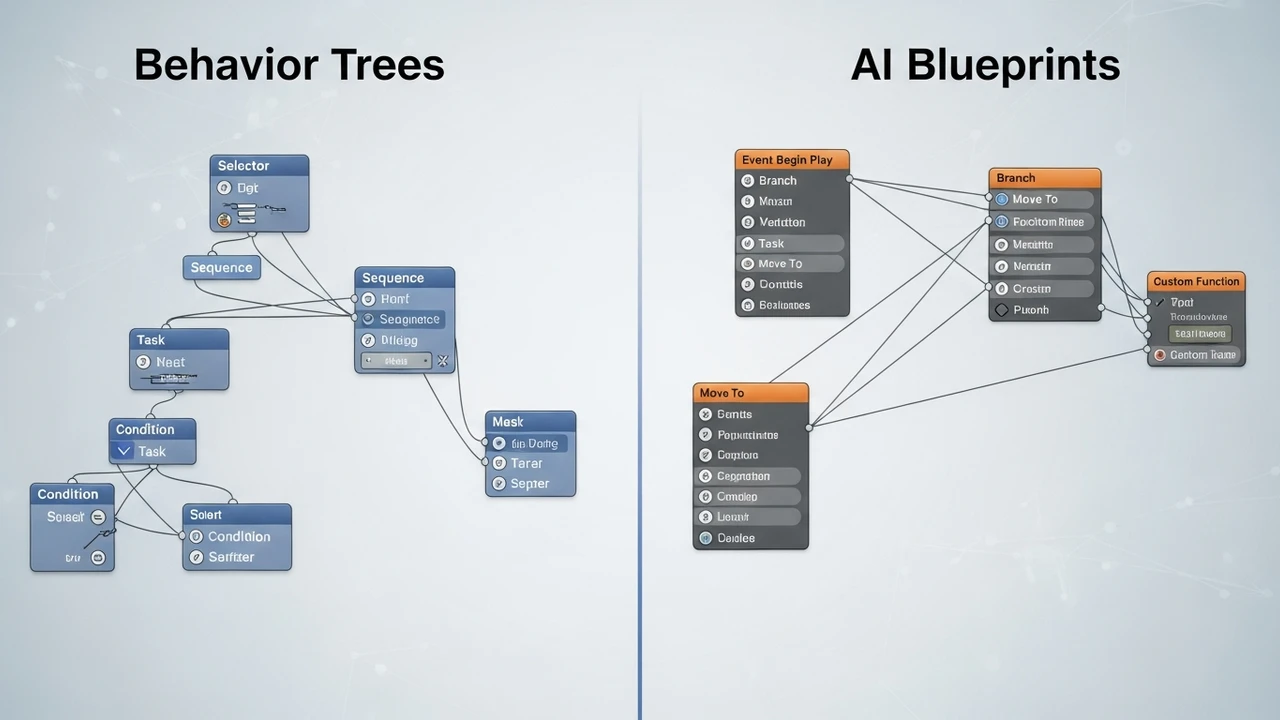
If you are going with Unity, you have to check out Behavior Designer. It is a visual behavior tree editor that is basically the gold standard. It costs around $75, but it saves you hundreds of hours of coding. For pathfinding, the A* Pathfinding Project Pro is another must-have, priced at $100. It is robust and handles dynamic obstacles like a champ. If you are on the Godot side, you are looking at more community-driven tools. The Godot Behavior Tree plugin is free and open-source, which is a huge win for budget-conscious devs. For pathfinding, Godot’s built-in NavigationServer is actually surprisingly good and doesn't require any extra plugins for most use cases.
Comparing Development Workflow and Ease of Use
Unity’s workflow is very much 'component-based.' You add a script, you add a component, you link them up in the inspector. It is great for teams, but it can get messy for solo devs. Godot’s scene-based system is where it really shines for AI. You can create an 'Enemy' scene, give it its own AI logic, and then just instance that scene a hundred times in your main level. If you want to change how the AI behaves, you change it in one place, and every enemy updates. It is a massive time-saver for iterative design.
Cost Analysis and Licensing for Indie Studios
Let’s talk money. Unity has a tiered pricing model. While it is free to start, once you hit certain revenue thresholds, you are looking at subscription fees. It is a business-first engine. Godot is completely free, forever, under the MIT license. You own everything you make, and you don't owe anyone a cent. For a solo dev or a tiny team working on a lightweight AI project, that financial freedom is huge. You can take that money you would have spent on Unity licenses and put it into better assets or marketing.
Choosing the Right Engine for Your Specific AI Needs
If your project is going to grow into a massive, open-world simulation with thousands of agents, go with Unity. The ecosystem is there to support you, and the performance ceiling is much higher. But if you are building a tight, focused experience—a stealth game, a tactical RPG, or a smart puzzle game—Godot is almost certainly the better choice. It is faster to iterate, easier to learn, and it doesn't get in your way. You spend less time fighting the engine and more time actually making your NPCs act like they have a brain. At the end of the day, the best engine is the one that lets you finish your game, and for most lightweight AI projects, Godot is the secret weapon you have been looking for.
:max_bytes(150000):strip_icc()/277019-baked-pork-chops-with-cream-of-mushroom-soup-DDMFS-beauty-4x3-BG-7505-5762b731cf30447d9cbbbbbf387beafa.jpg)